


WHAT’s IN THIS ARTICLE:
Introduction
The Appspace Visitor Management system is used to invite external users (visitors) to a meeting or event held at your company. These Visitors could be an employee from another facility, division, or subsidiary within your company or other corporate entities from outside the company.
The Visitor Management system is also used to manage guest registration & check-in, build interactive kiosk experiences, for both visitor and employee check-ins, and you can even use maps for wayfinding to floors, spaces, or points of interest. Visitor Management is a way to reinforce safety compliance policies by controlling building access.
Similar to Space Reservation, Visitor Management is a mobile-first and workplace device experience, that allows employees to pre-register and send invitations to Visitors, who can then pre-register from their personal devices, and finally check-in at the reception desk either through touch or touchless experience.
There are 3 components to the Visitor Management system:
- Reservations module – set up all your resources, buildings, and configure a calendar provider.
- Visitors module – where Administrators can manage your visitors in the console.
- Appspace Employee App – send and receive the invitations.
Visitors Module
The Appspace Visitor Management system enables Hosts and Facilitators using the Appspace Space Reservation system and the Appspace Employee View, to manage invitations for employees and external users (visitors) to a meeting or event held in your company.
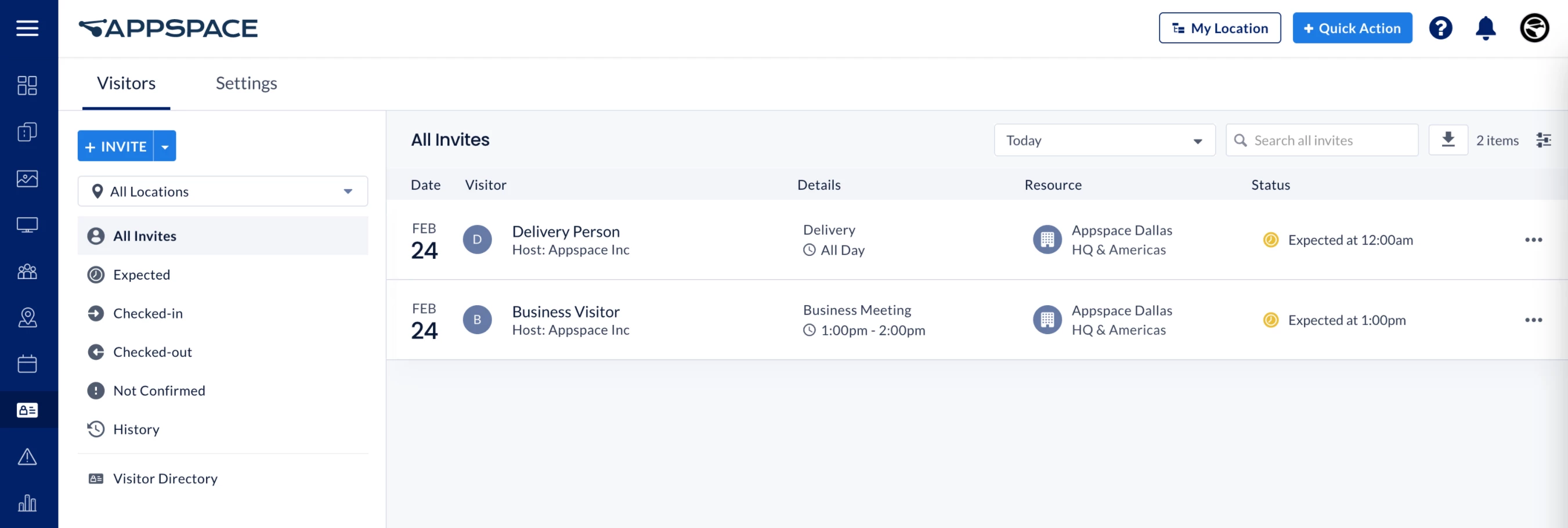
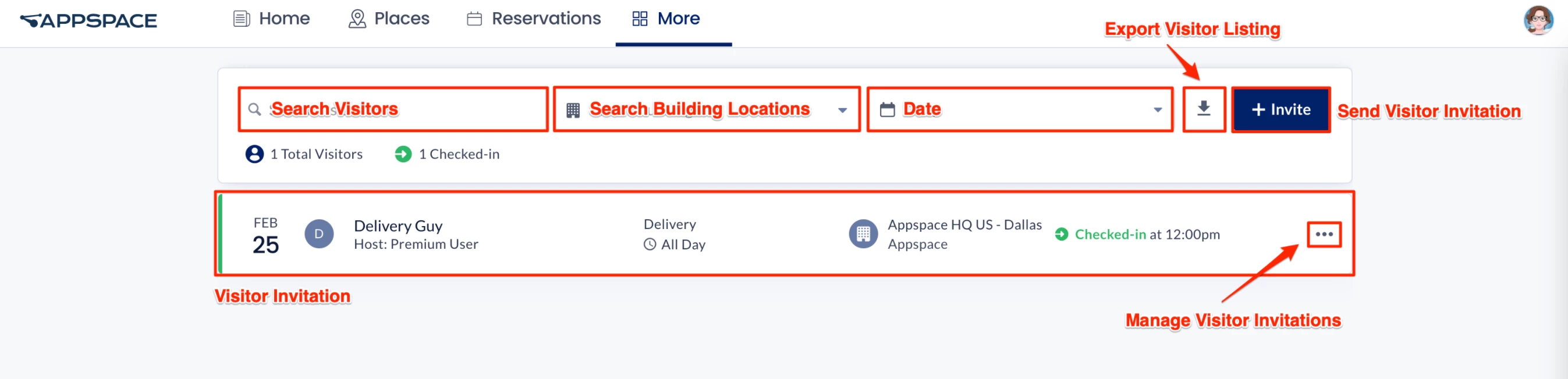
The Visitors module allows Hosts and Facilitators to view any upcoming event such as visitor invitations, overlook who the visitor is, location of event, time and date of event, and even view visitor-related information. The Visitors module can be accessed by clicking More in the Employee View portal (if enabled).
Personas
There are 4 key personas involved in the operation of the Visitor Management solution:
- Administrator
- Host
- Facilitator
- Visitor
Administrator
An Administrator is an Appspace user responsible for setting up the Visitor Management system, administering visitor and system behavior, setting up the kiosk, and configuring interfaces with any external systems (calendars, watchlists, printing services, etc.).
Administrators can configure the Appspace Visitor Management system through the Visitors module in the Appspace console, to allow your visitors to self-check-in for events using Appspace visitor kiosks.
Note
- Administrators looking for information on navigating the Visitors module in the console, refer to Browse and Navigate Visitor Management in Appspace 8.x.
- Administrators who would like to configure events, preset registration tasks, and manage visitors, refer to Configure and Manage Visitors – Administrator.
- Administrators who would like to setup the Visitor Kiosk card on a kiosk for self-check-ins, refer to Cards: Visitor Kiosk Check-Ins.
Host
A Host can be an employee or administrator in an organization (an Appspace user), who initiates any visitor activity by inviting an external user to an event/meeting via the Employee View. Once an employee sends an invitation, they automatically become the event/meeting host.
Facilitator
A Facilitator can be an employee or administrator in an organization (an Appspace user). Facilitators are the initial point of contact for visitors, and who will typically be tasked with managing and facilitating the registration or badge printing for all visitors scheduled to enter the facility and attend the event.
Note
The Employee App is also available for Android and iOS with full parity across the apps.
Note
Hosts and Facilitators looking for guidance to send and manage event invitations, refer to Manage Visitor Invitations – Hosts & Facilitators.
Visitor
A Visitor can be anyone who has received an invitation from the event/meeting host. We also accept drop-in visitors who do not have a prior invitation on some occasions. Visitors must complete registration activities (if available) before attending the event/meeting. These visitors do not need to be an Appspace user.
If you are an employee, you can check-in via the Employee View or if you are an external user, you can drop-in to the venue and check-in at the kiosk.
Note
Visitors looking for guidance for self check-in and registration, refer to Visitor Self Check-In and Registration.
Invitations
Invitations is how the Appspace Visitor Management system manages employee traffic in your business. The Appspace Visitor Management system allows you to send invites to employees or external visitors via the Appspace console or the Employee app.
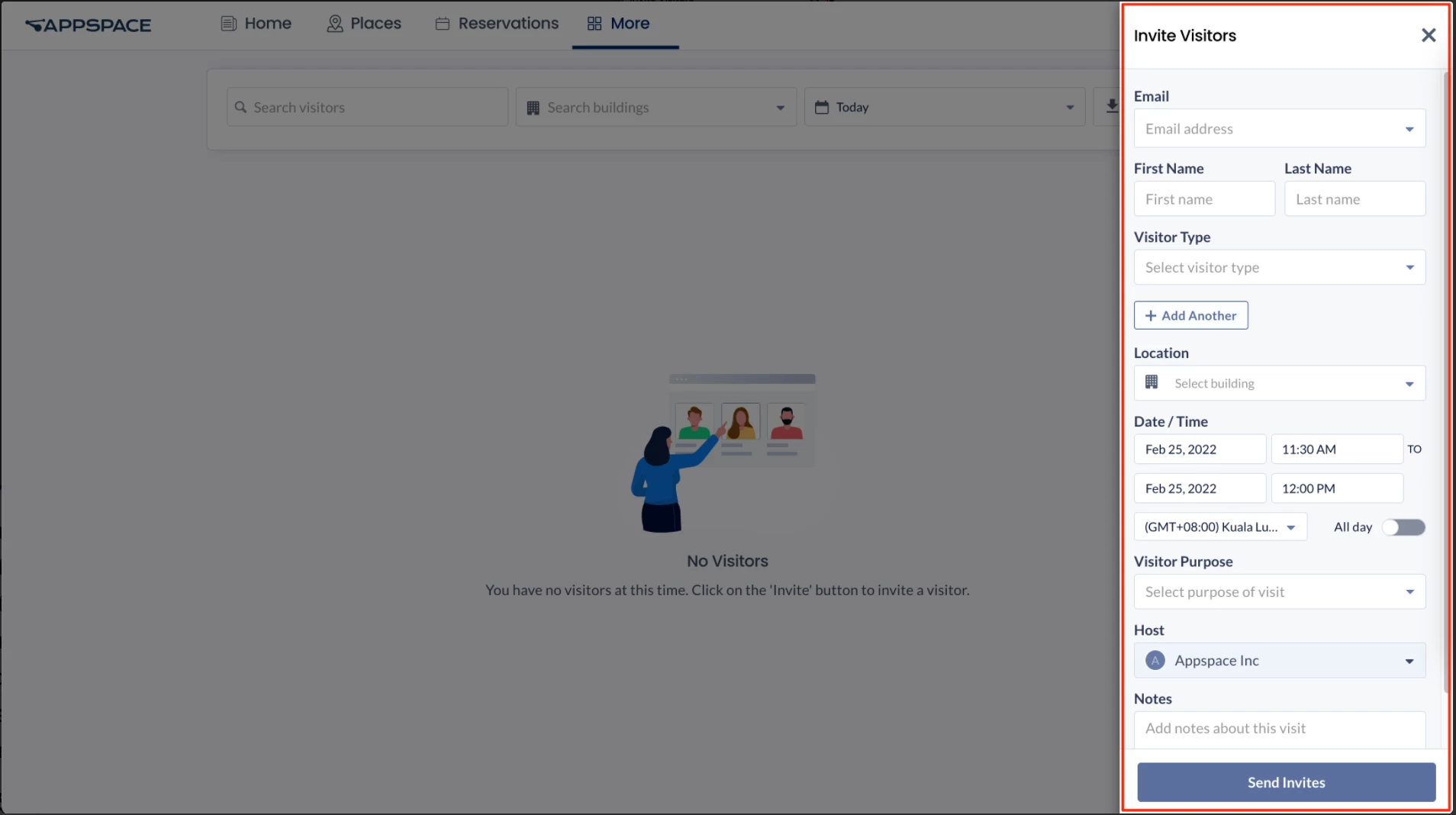
When sending an invite you can either select someone who has come in previously, which will auto-populate the details, or for a new invitation.
Note
If the host privacy setting is enabled, you (as a host) can only search and view visitors you have previously invited, and not visitors invited by other hosts. Selecting or entering the email of an existing visitor will auto-populate the First Name, Last Name, and Visitor Type fields.
If the meeting is meant to host more than one Visitor you can even add another Visitor to the invitation. You can also import visitors and their data to an invitation using a spreadsheet (this feature is currently behind a feature flag and not available to the public).
Once the invitation is sent a record will be created in the Appspace console and the Employee App, and an email will be sent to the guest regarding the invitation to pre-register. The Host of the meeting will also be notified of the acceptance of the invitation and if pre-registration is complete.
Note
The pre-registration form contains fields which can be modified from the Administrator console and allows Administrators to easily customize items based on the business requirements.
Note
If configured the Host can also be notified by either Slack, Cisco Webex or Microsoft Teams.
Visitor Management Workflows
The following describes the workflows in a Visitor Management system.
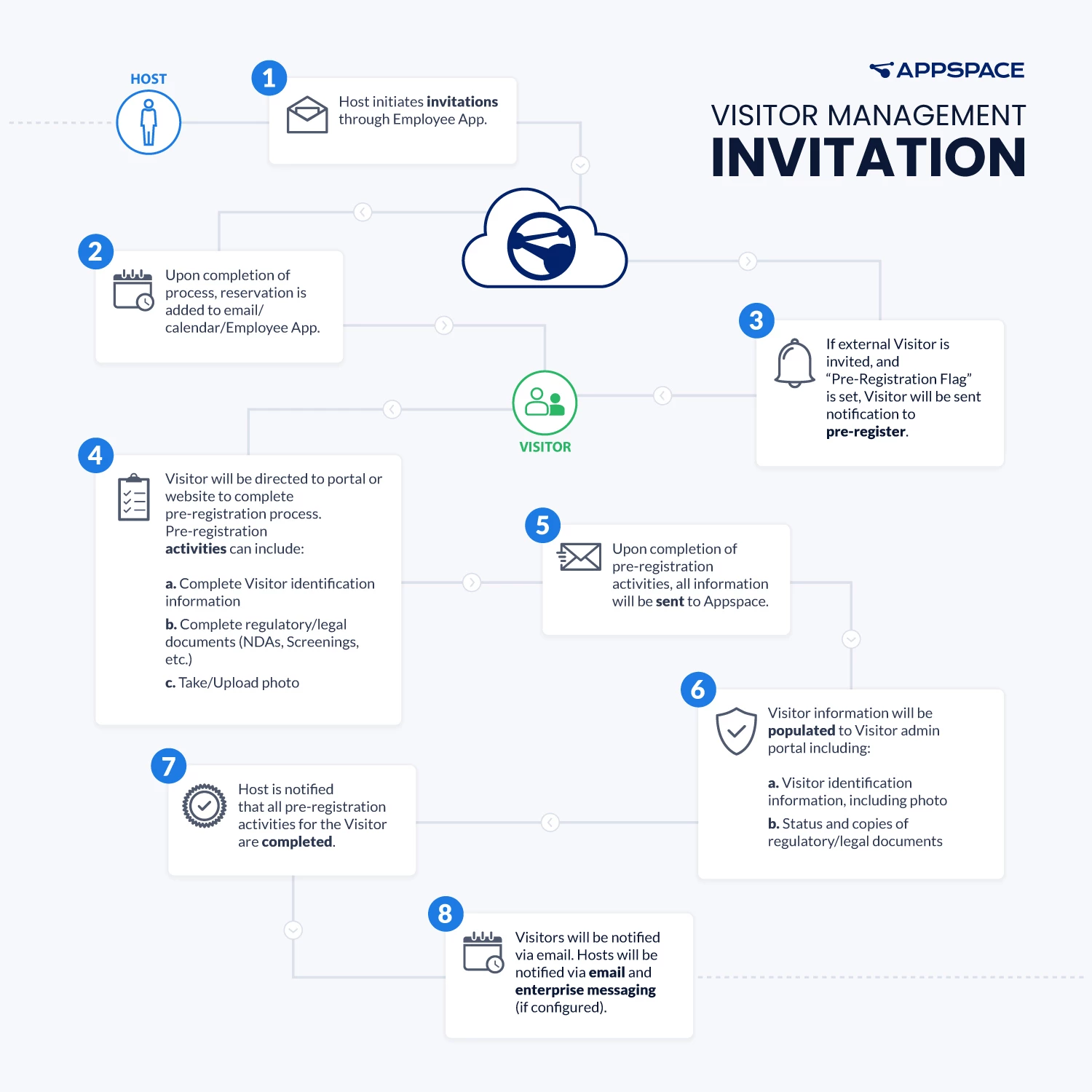
Host – Invitation
The following image describes the workflow for a Host sending an invitation.
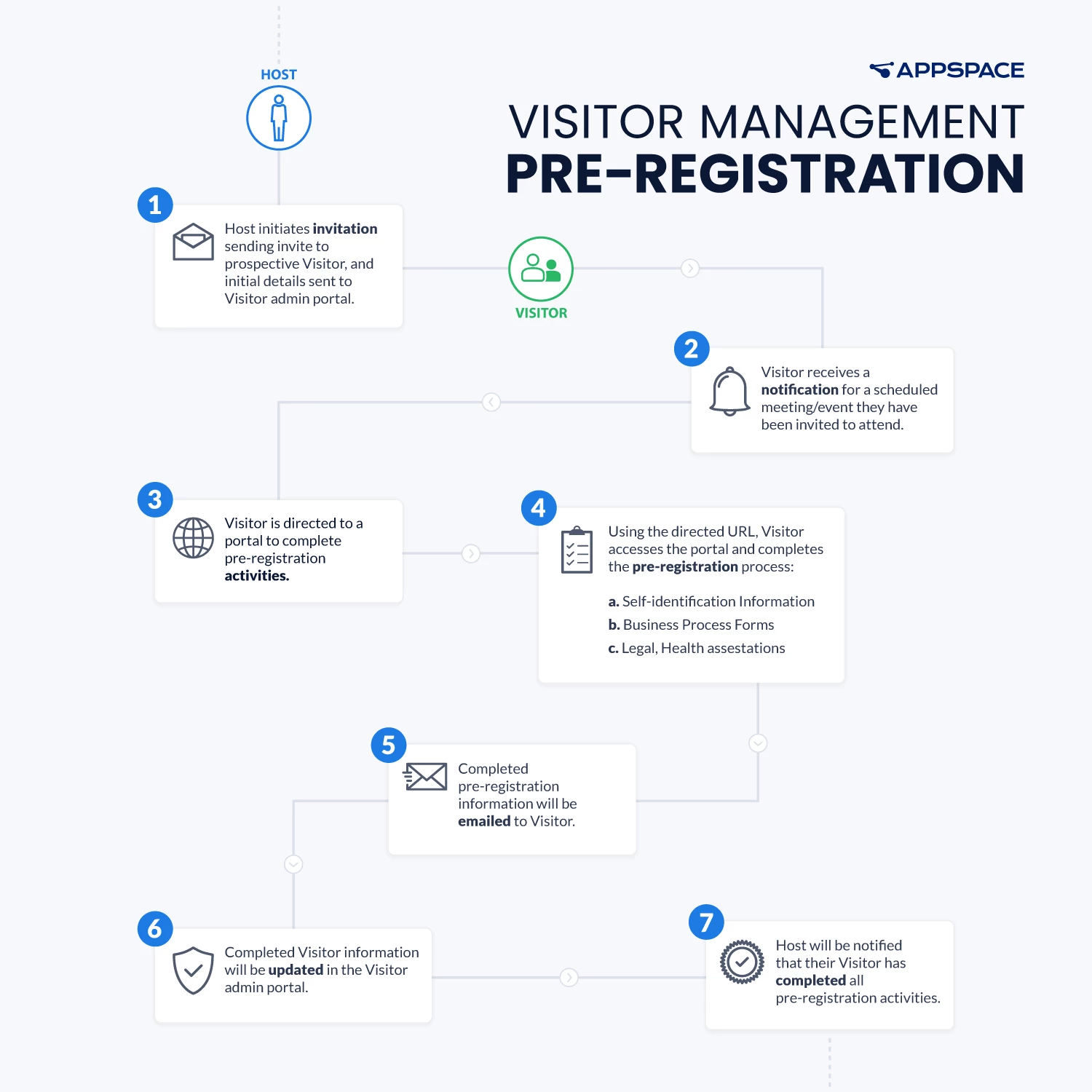
Host – Pre-Registration
The following describes the Pre-registration workflow for a Visitor when a Host sends an invitation with compulsory Pre-registration criteria. Visitors may need to complete several pre-set registration tasks prior to check-in.
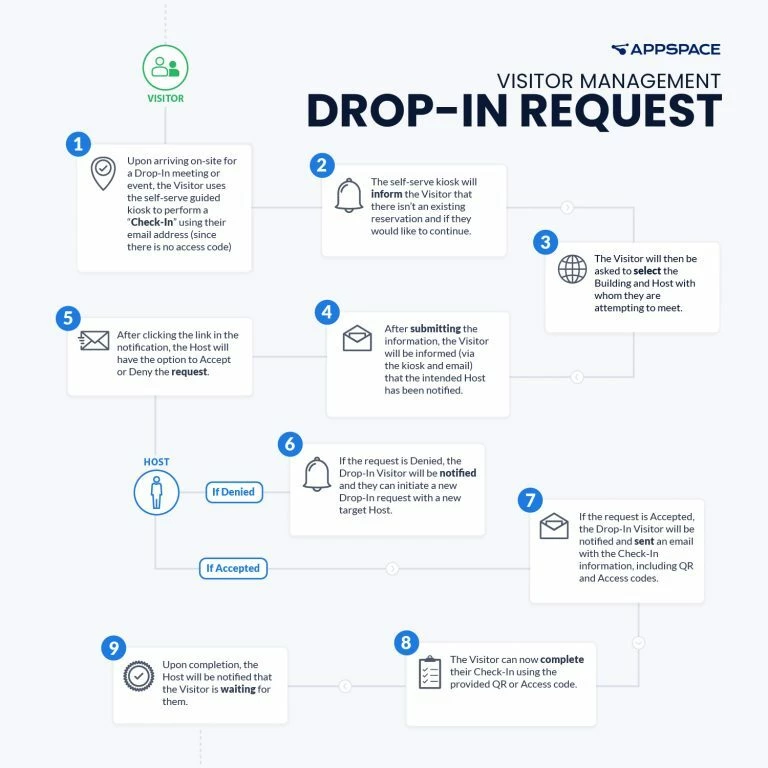
Visitor – Drop-In Request
The following describes the Visitor workflow when a Drop-in request is received. The Visitor Management system supports drop-in visitors, allowing visitors without a prior invitation to check-in at a kiosk for an event.
Note
The feature must first be enabled by an administrator.
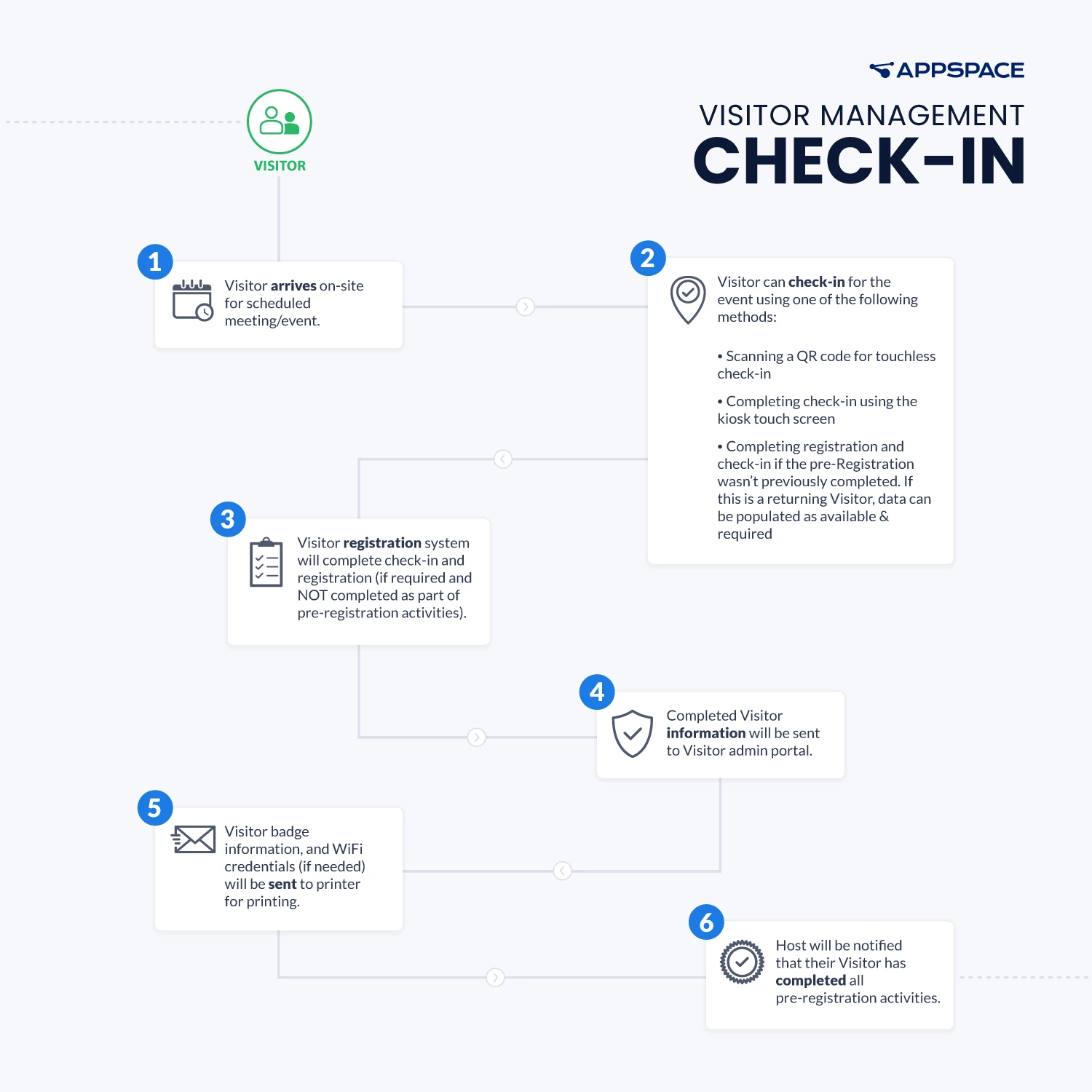
Visitor – Check-In
The following image describes the workflow when a Visitor performs a Check-in.
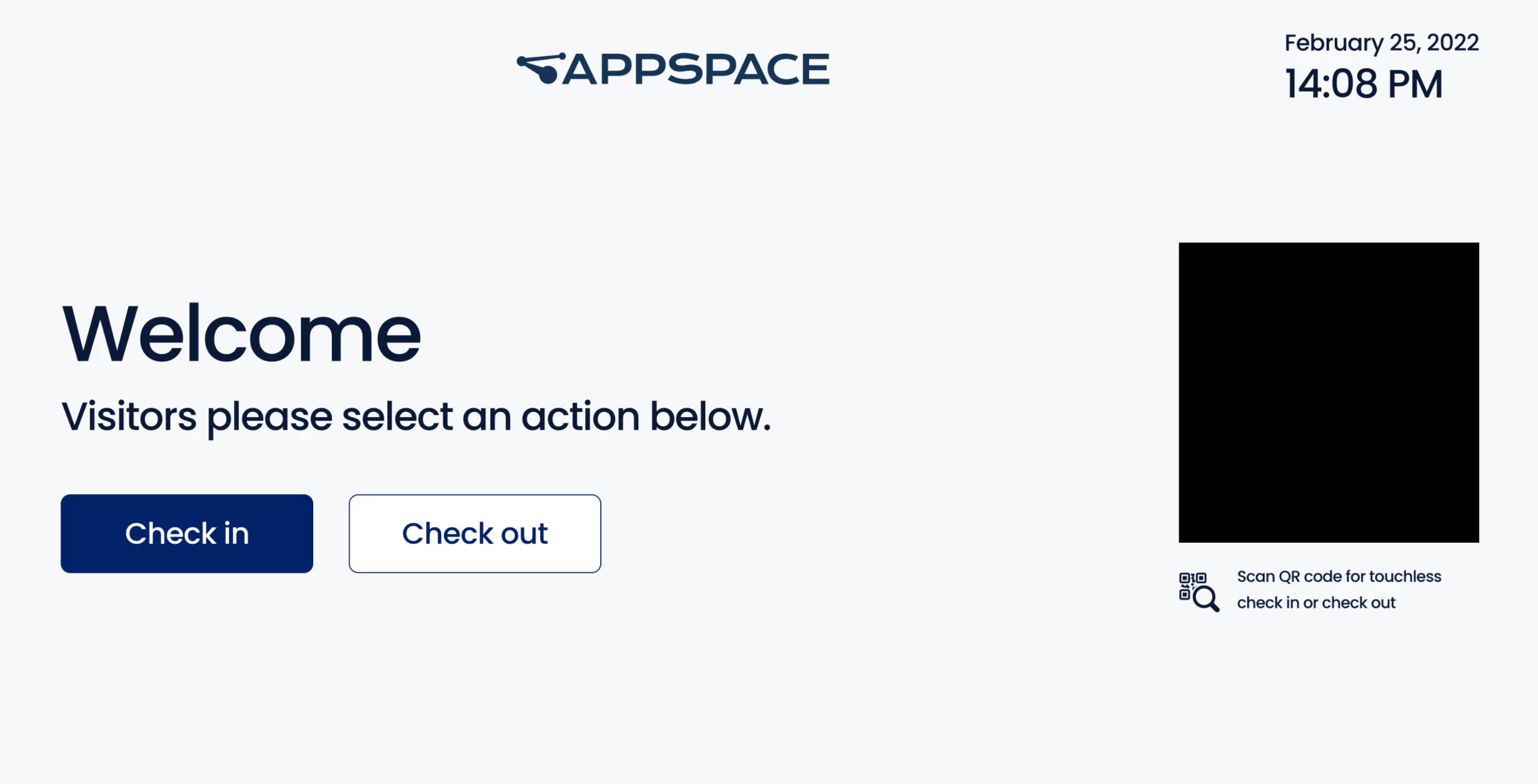
When a Visitor arrives at the reception they will see a kiosk, either a commercial-grade device or an iPad, with the camera functionality turned on.
The camera is turned on to scan a QR code that the Visitor was provided with when they accepted and completed the pre-registration invite. If the QR code is not functioning as expected Visitors can use the access code that is provided to check-in.
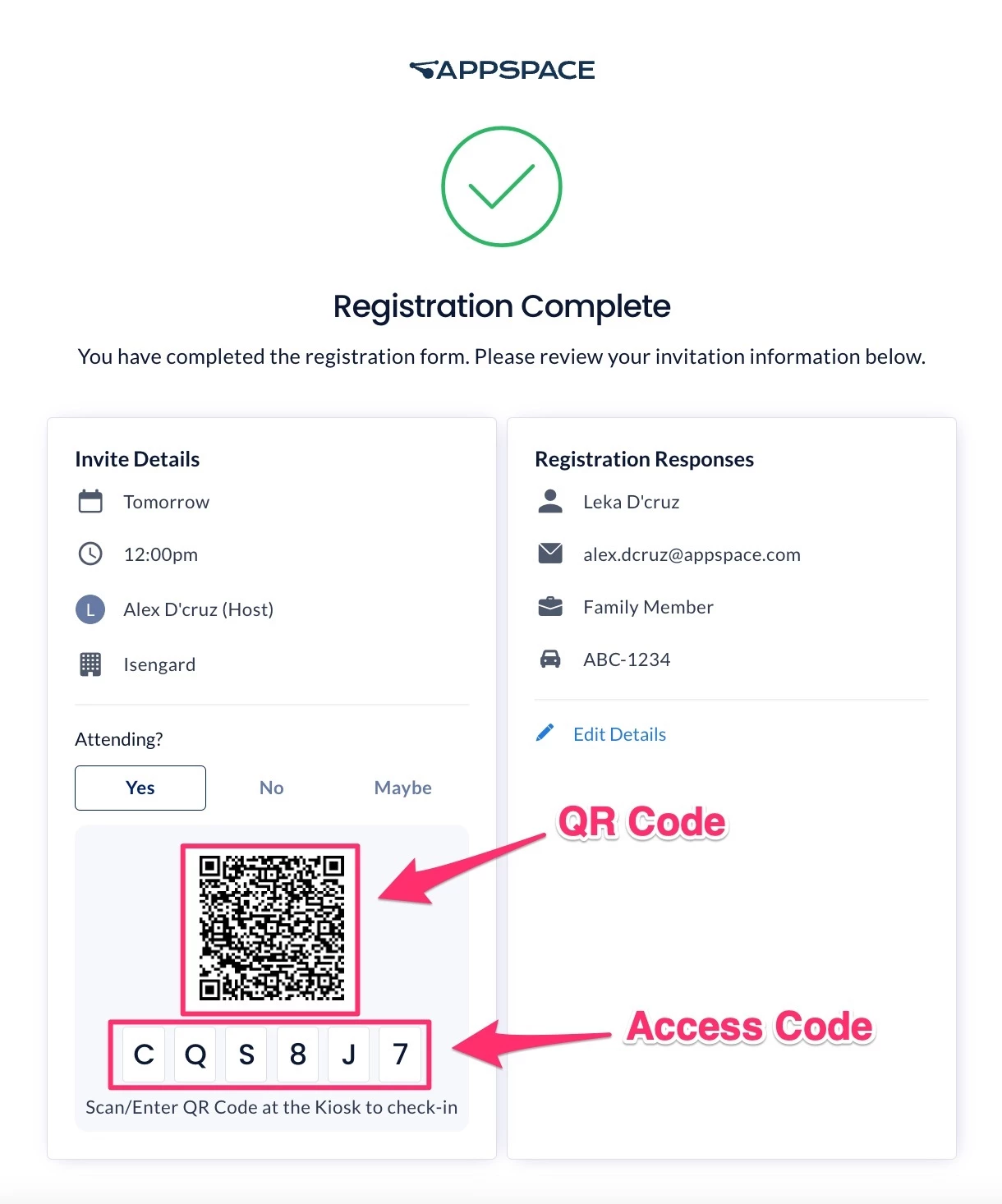
Once the Visitor has successfully checked in through the kiosk, the Host will receive a notification either through Email, Webex, Slack, or Microsoft teams informing that the visitor has successfully checked in at the reception area.
Note
If a visitor checks in at a kiosk different from the invitation location (e.g., a different building or campus), the notification to the host will include both the invitation location and the actual check-in location.
Visitor – Self Check-Out
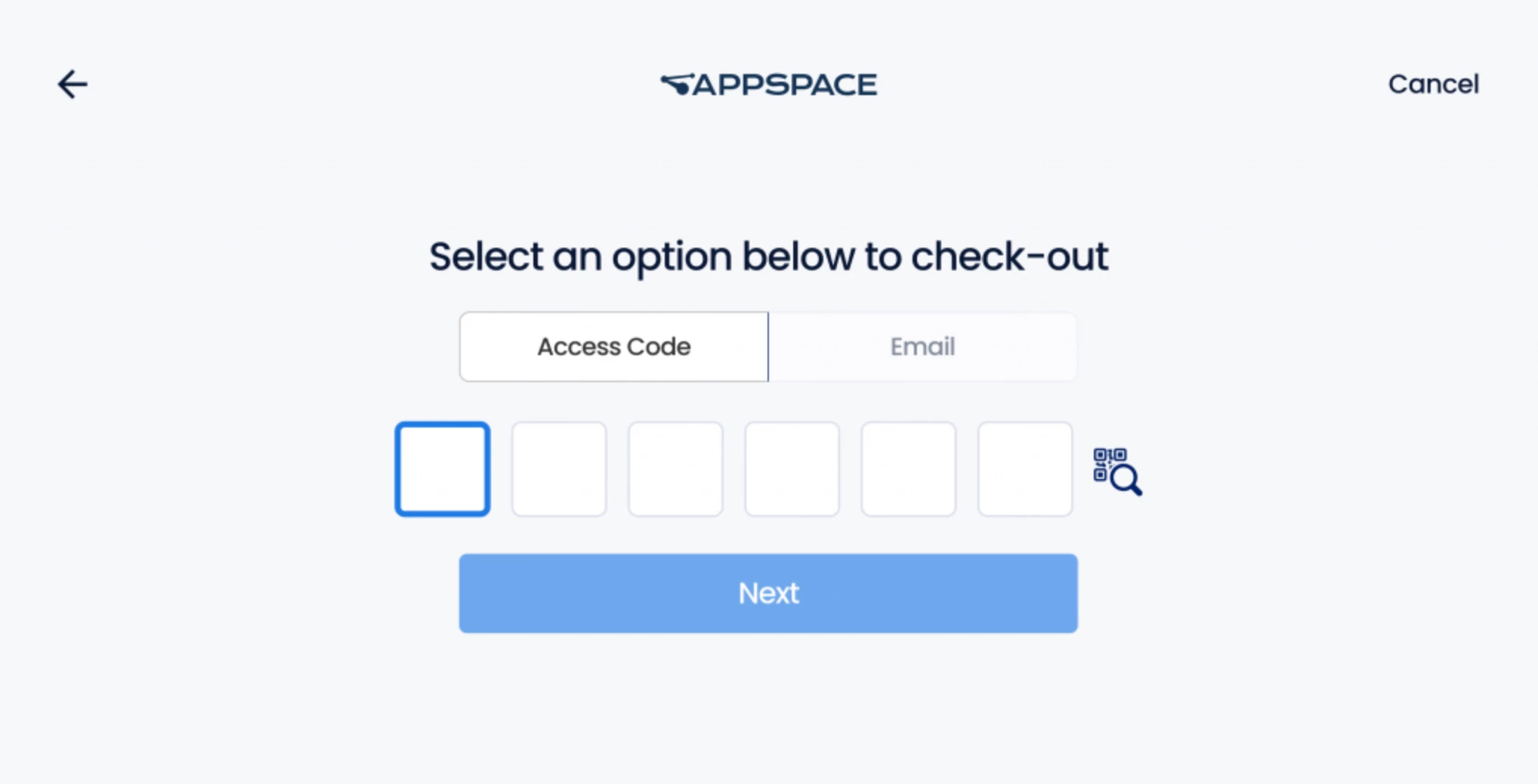
On leaving, the Visitor can check-out by doing one of the following:
- The Visitor can present the QR code in front of the camera of the device.
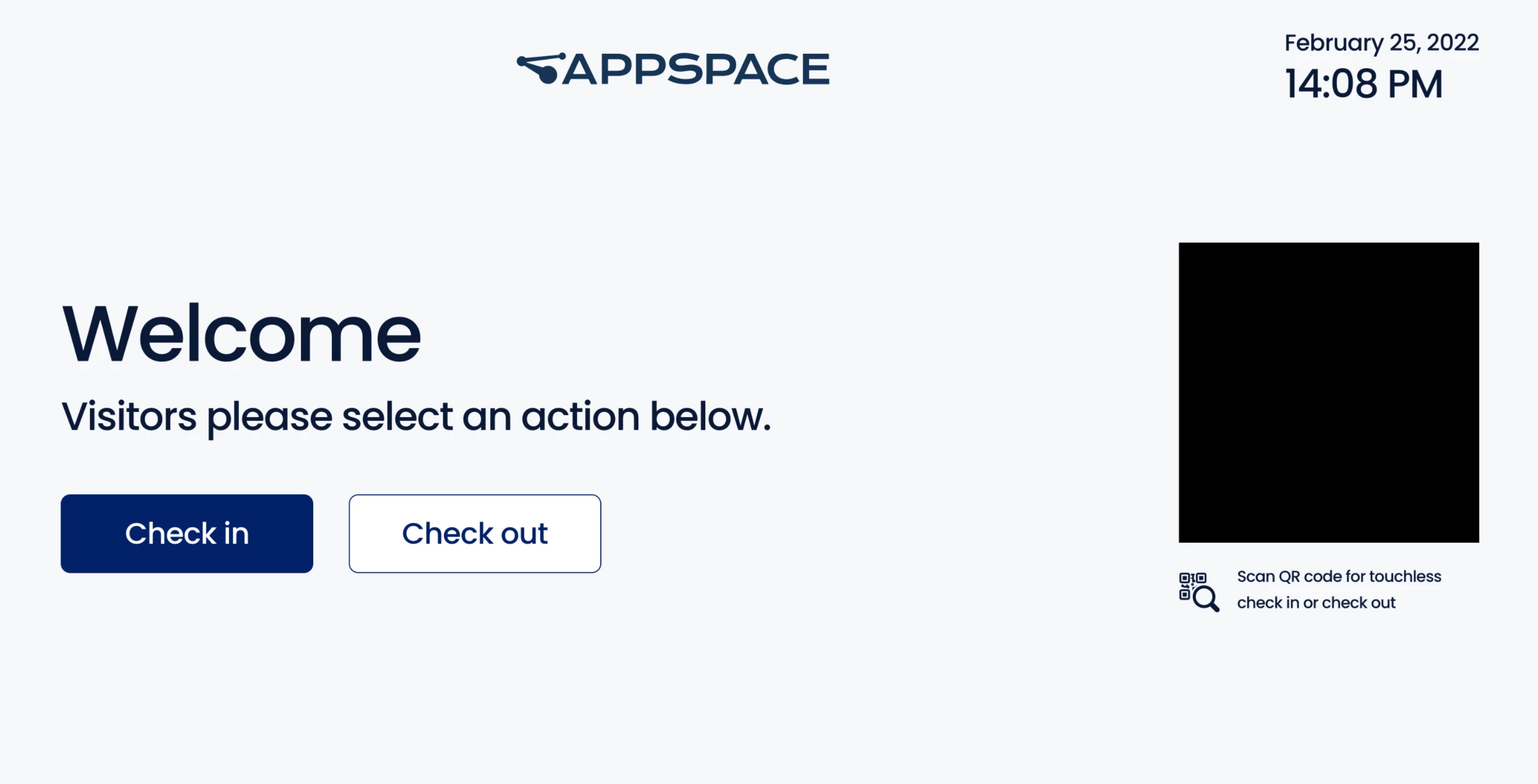
- The Visitor can provide the same Access Code or Email address previously used.
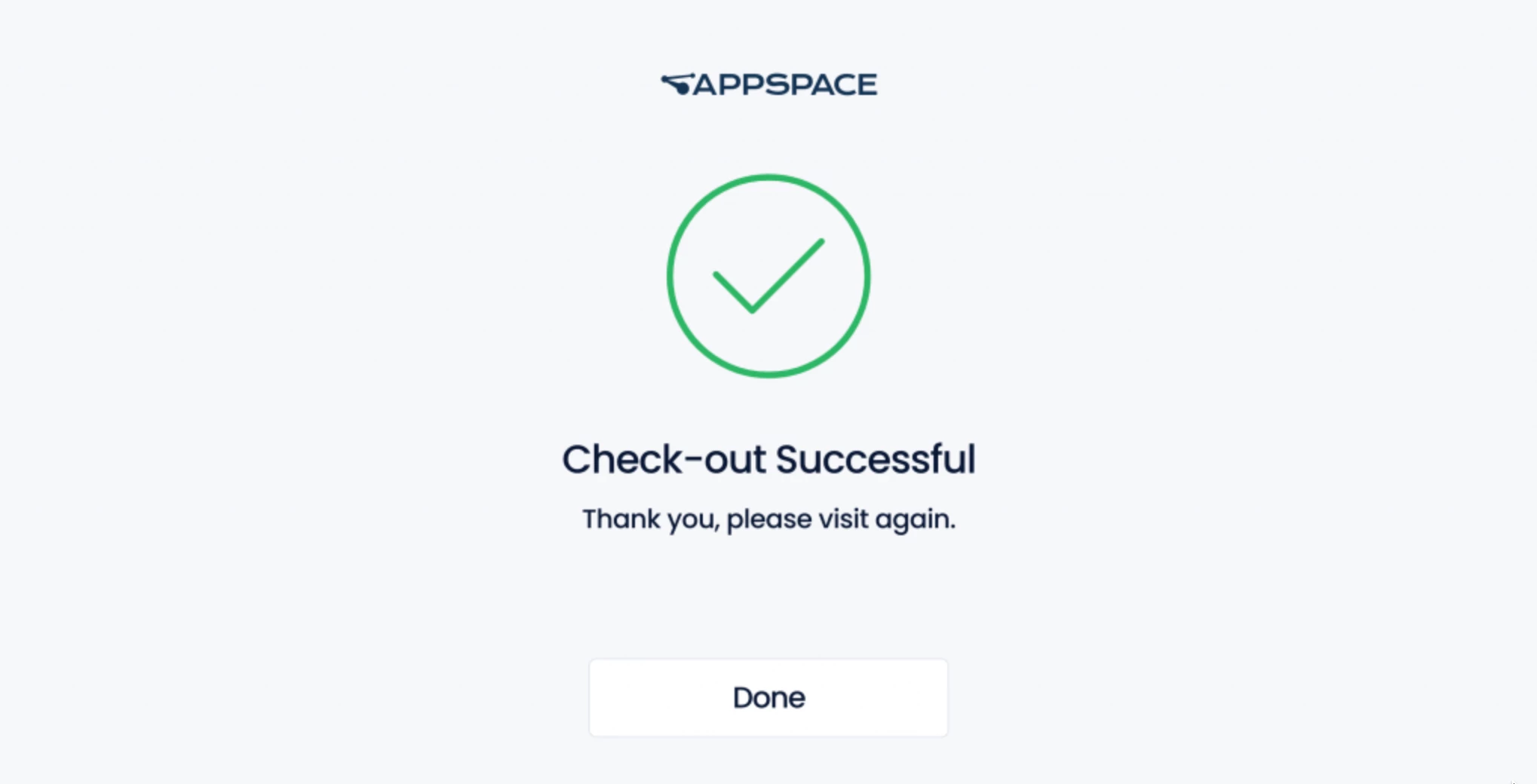
If successful, the Check-out Successful screen is shown. The Host will be notified when their visitor has successfully checked out and exited the building.
Conclusion
The Appspace Visitor Management system provides businesses with the ability to manage their visitors with proactive workflows that cover the current demanding workplace health and safety protocols.
Visitor Management is a mobile-first and workplace device experience, which allows employees to pre-register and invite employees on-site, for visitors to pre-register from their personal devices, and finally check in at the reception desk either through touch or touchless experience.