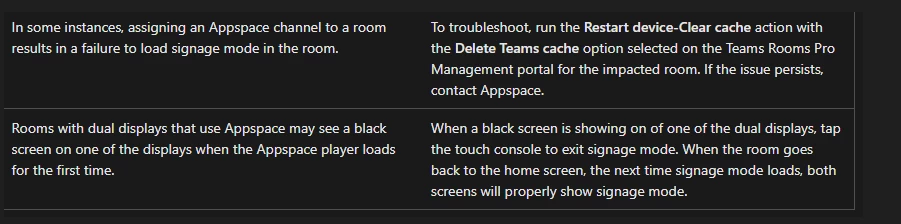
Microsoft Teams Rooms (MTR) devices MUST be assigned a channel, and the channel MUST contain content. Devices that are not assigned a channel or are assigned a blank channel will not sync (the Appspace app will close if it finds nothing to do). Unlike BrightSigns, they will not display a message indicating they need a channel.
Appspace only runs when the devices are idle/in screensaver mode (similar to some Webex devices). As of now, when the devices leave idle mode, they will display as out-of-sync in Appspace.
As of April 24, 2025, setting an MTR to autoplay may not work properly.
More information on MTR:
Reference Case:
- AE-12166: MTR devices showing offline
-
MTR devices were not syncing with Appspace
-
Device logs were provided
-
The majority of customer devices either were not assigned channels or were assigned channels with no content. This would result in the Appspace app closing as it had nothing to do. MTRs, unlike a BrightSign, will not display a message about no channel assigned.
-
There were a handful of remaining devices that would not sync. Support found that the Appspace app was never starting. Something (as of yet unknown) on the customer side was preventing the devices from entering idle/screensaver, which would start the Appspace app
-
Retrieving logs from MTR:
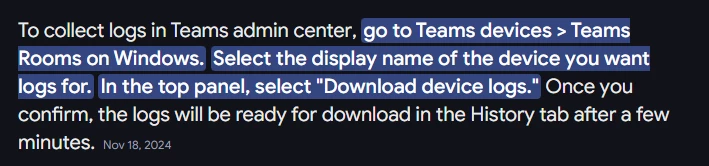
Files will be 700MB-2GB. Only a few will have information relevant to Appspace. Once extracted, the path looks similar to this: \Archive\<DIR>\LogCollection-<devicename>\MtrAppLogs\<devicename>\App\Skype\TeamsUWP<version>.txt

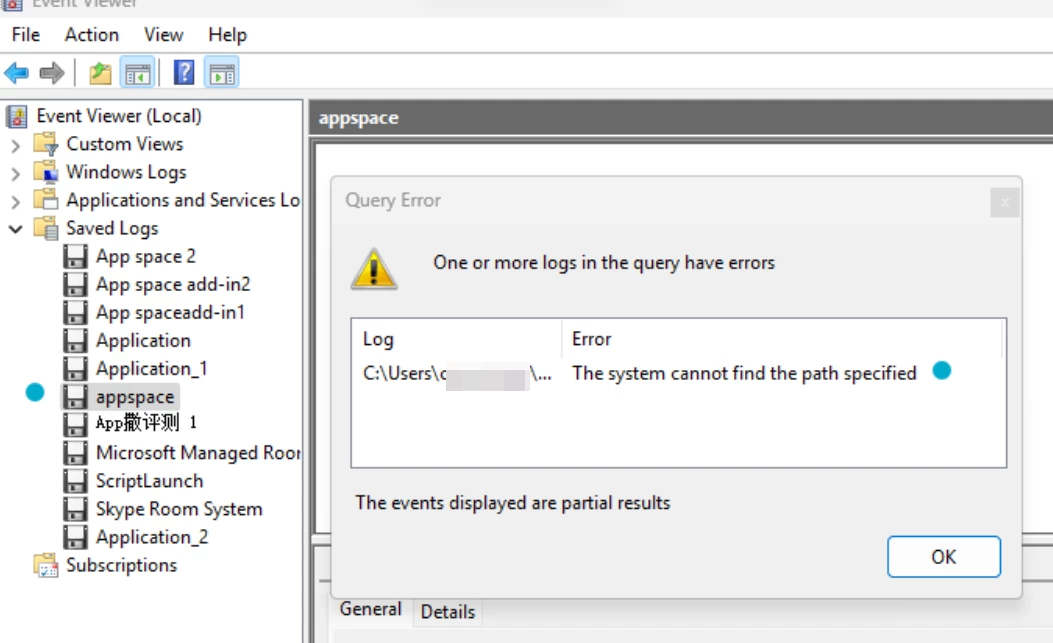
Windows logs will be in the .evtx file format for Windows devices. If the application log is opened and the Appspace logs are selected, an error indicating a missing log likely means the Appspace app is not starting.
Known Issues (from Microsoft):