The Appspace Intelligence assistant (Insight Assistant) is an AI-powered analytical companion designed to simplify data interpretation across the platform. By leveraging natural language processing, the assistant allows users to interact directly with their metrics, transforming complex datasets into clear, actionable answers to provide deeper context:
Key Capabilities
The assistant streamlines the reporting process through the following functionalities:
-
Conversational Querying: Users can type natural language questions (e.g., "Which department had the highest engagement last week?") and receive immediate answers derived from the analytics database.
-
Data Synthesis: The assistant can correlate data from various sources within the platform to provide a more holistic view of the employee experience.
-
On-Demand Reporting: Quickly generate summaries of content performance without needing to build custom dashboards or export CSV files.
Availability and Access
To ensure data intelligence is available where it is needed most, the AI Insight Assistant can be enabled across the following core modules and configuration pages:
Space & Content Analytics:
-
Space Module > Insights: For localized data on specific sites or communities.
-
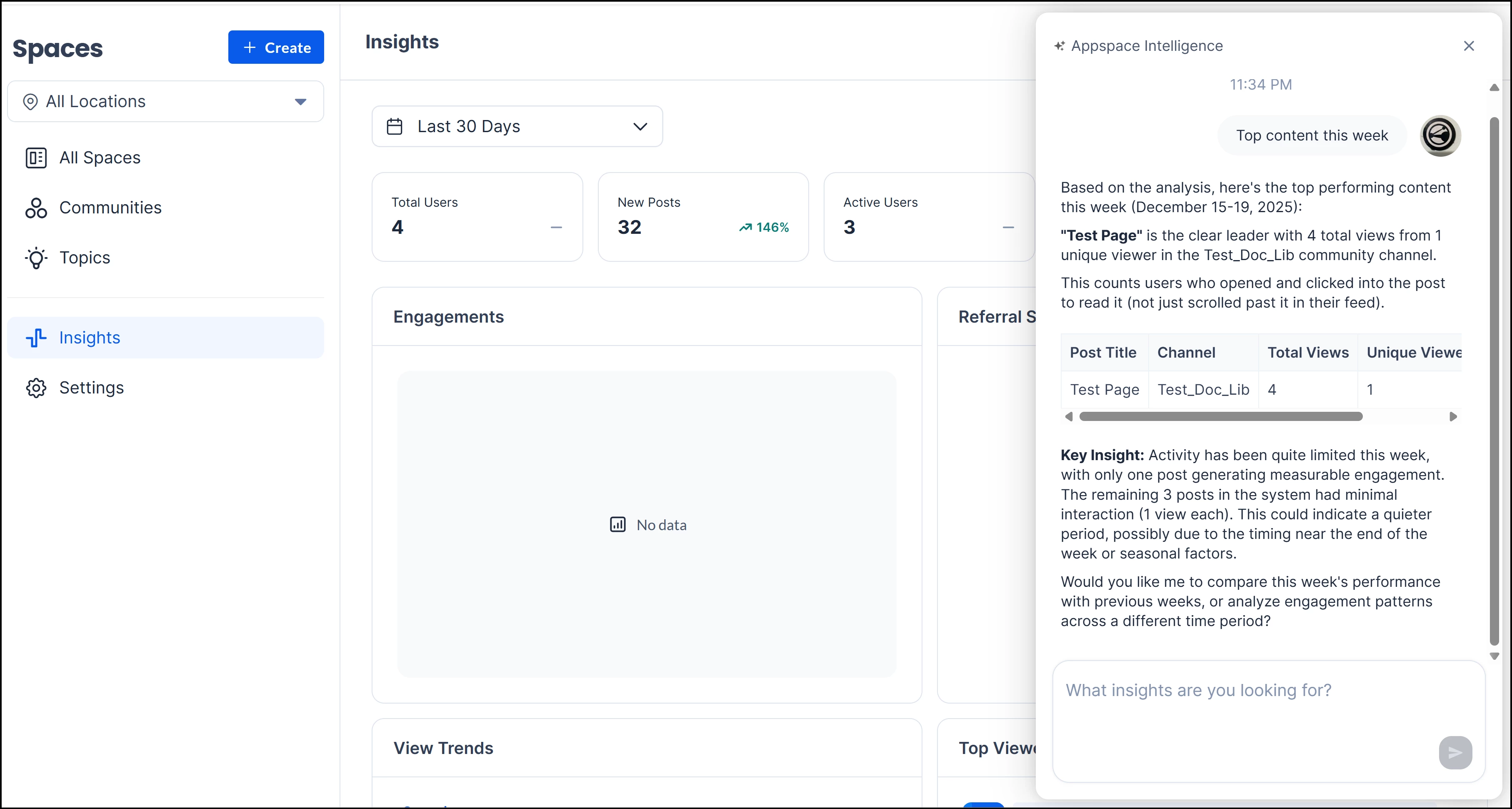
Conversational Content Auditing: Users can ask the assistant to identify "Top content this week," which triggers a summary of specific high-performing pages within a localized channel (e.g., identifying "Test Page" within the "Test_Doc_Lib" channel).
-
Behavioral Clarification: The assistant distinguishes between passive and active engagement, clarifying that views count users who clicked into a post rather than just scrolling past it in a feed.
-
Actionable Summaries: Beyond raw numbers, the assistant provides a "Key Insight" summary that explains performance dips or peaks—such as limited activity due to seasonal factors—and offers to compare data against previous time periods.
-
On-Demand Querying: The "What insights are you looking for?" text box allows administrators to bypass manual data filtering by typing natural language questions directly within the relevant space.
Communication Strategy:
-
Campaign Module > Insights: To measure the effectiveness and reach of targeted internal campaigns.
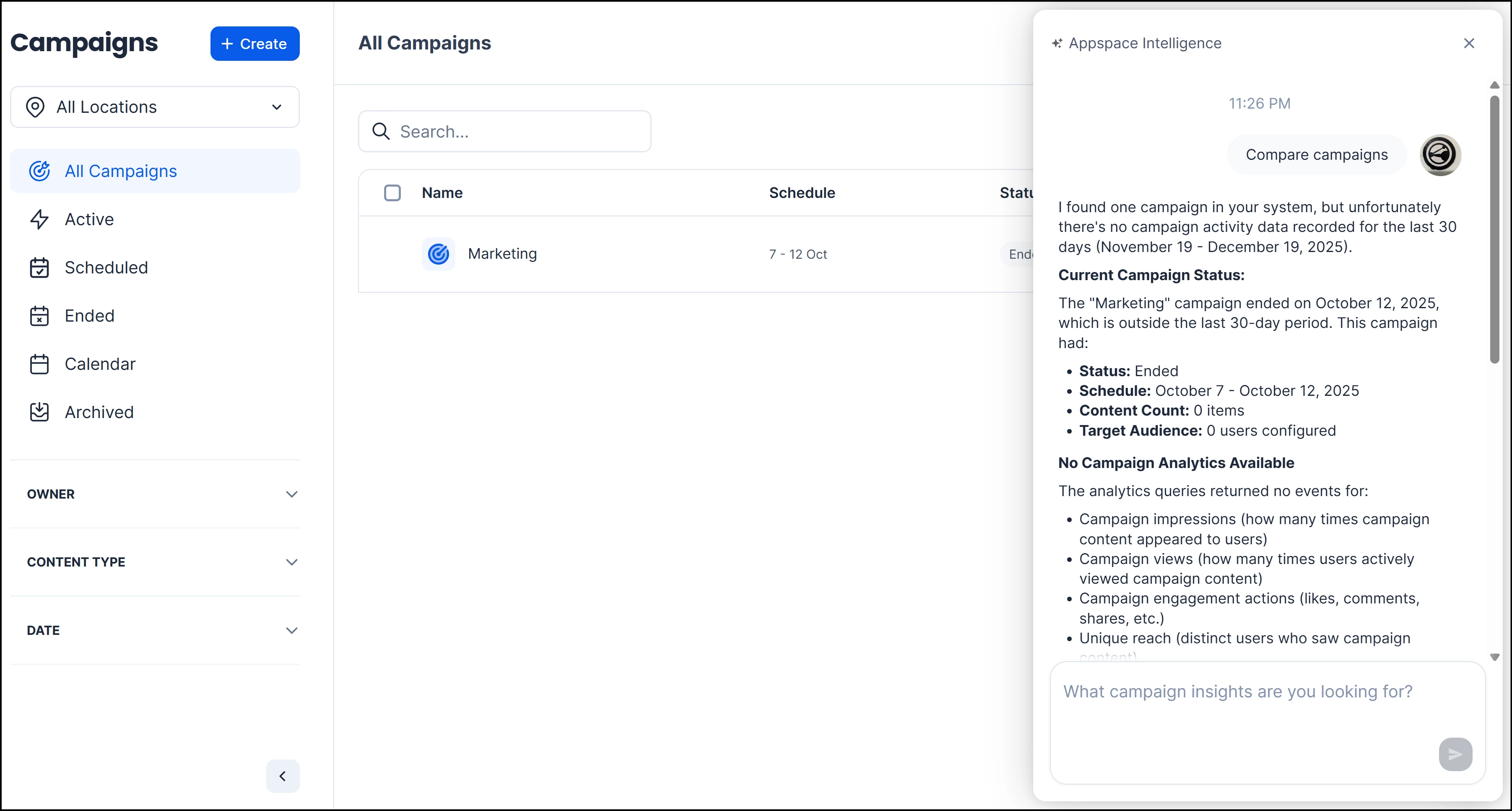
- Status Summarization: The assistant can quickly identify and report on specific campaigns, noting their status and timeframe, such as identifying a "Marketing" campaign that ended outside the current reporting period.
- Gap Identification: It proactively informs users when no analytics data is available for a selected period, explaining that queries returned no events for impressions, views, or engagement.
- On-Demand Comparisons: Users can ask the assistant to "Compare campaigns" or type specific questions into the "What campaign insights are you looking for?" field to receive immediate performance evaluations without manual data filtering.
System Configurations:
-
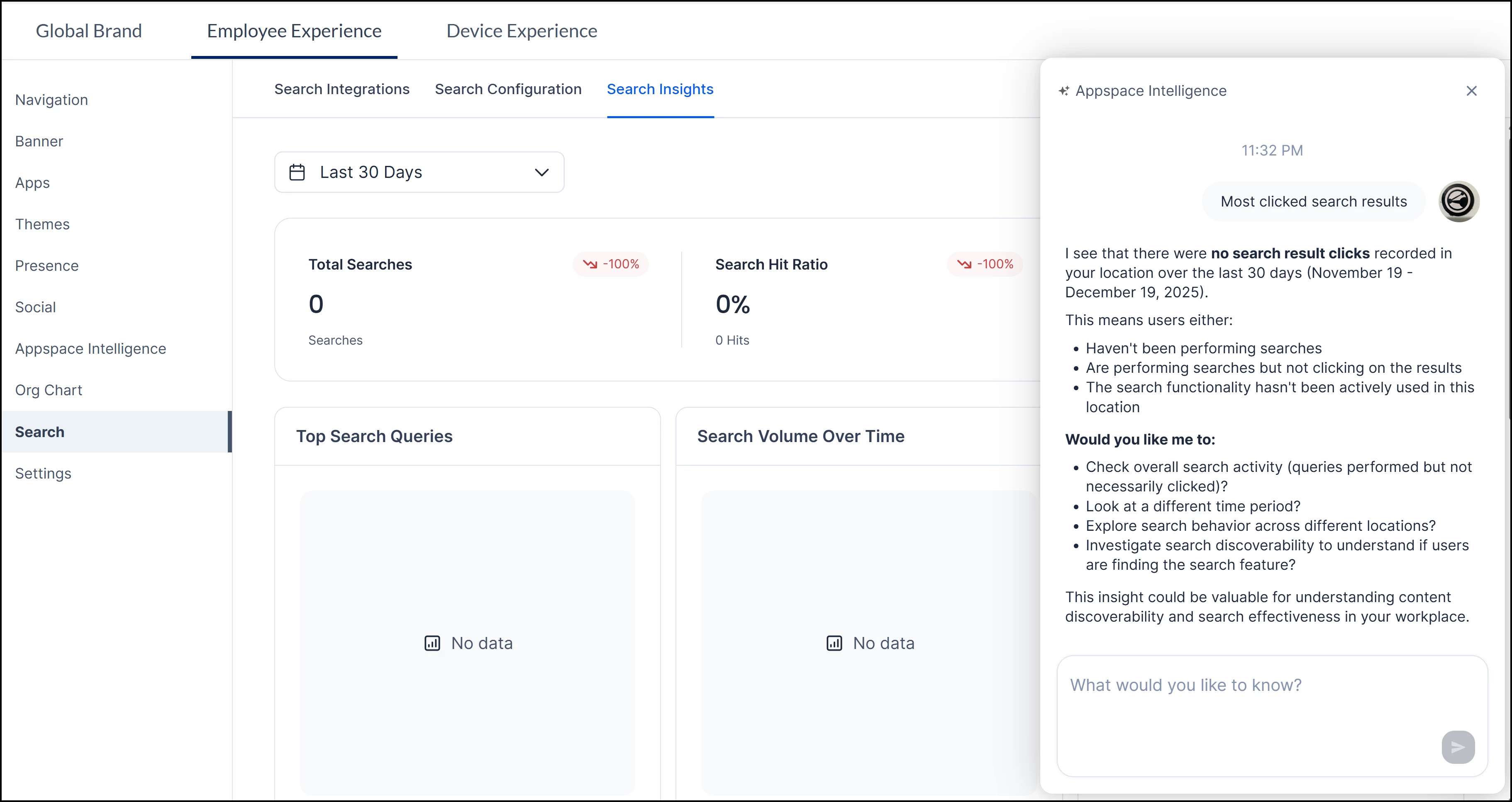
Settings > Configurations > Employee Experience > Search > Search Insights: To analyze user search behavior and content searchability.
- Core Search Metrics: The interface tracks Total Searches and the Search Hit Ratio (the percentage of searches that resulted in hits), with percentage indicators showing performance trends over a selected period, such as the Last 30 Days.
- Behavioral Trends: Dedicated visual panels for Top Search Queries and Search Volume Over Time help identify what employees are looking for and when search activity is most frequent.
- Performance Diagnostics: If metrics are low, the system identifies potential causes, such as users not clicking on results or the search functionality not being actively used in a specific location.