
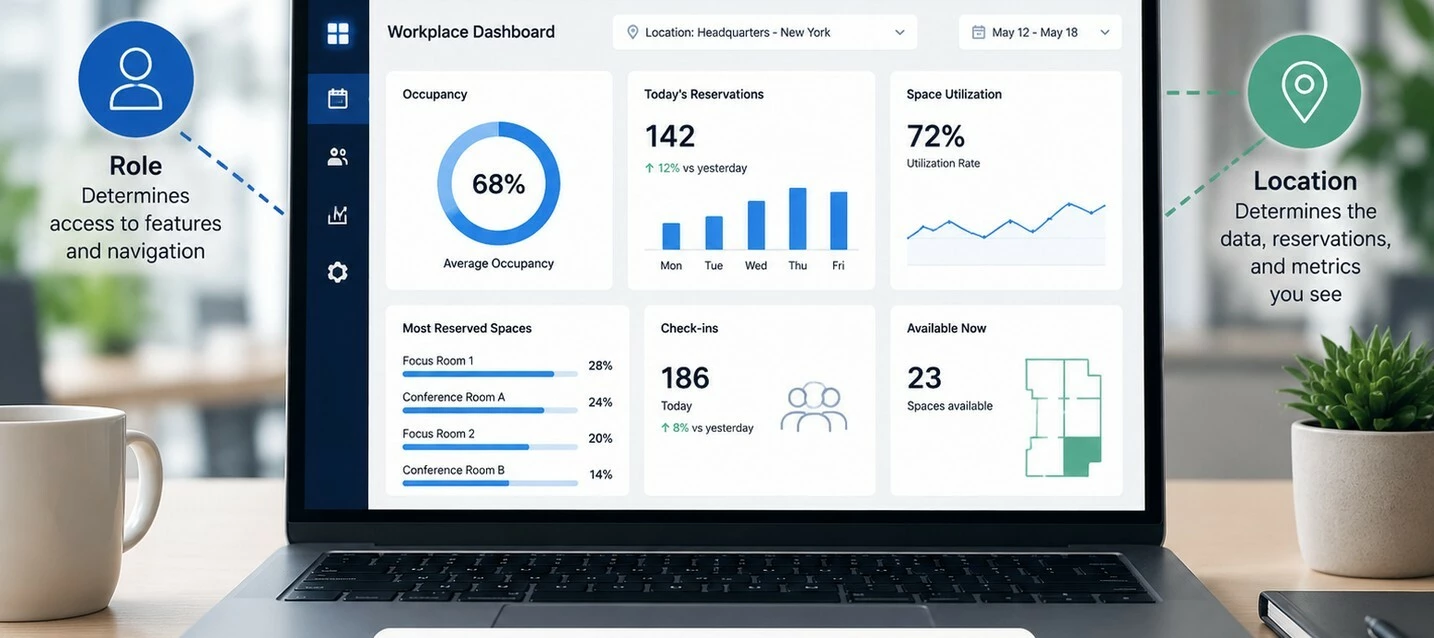




The Workplace Dashboard provides insights into your workplace environment based primarily on the location you are viewing. While your assigned role determines which navigation options and administrative features are available, the dashboard metrics themselves are largely driven by the selected workplace location.
Understanding the difference between permissions and location context can help explain why some users see different navigation options while viewing similar Workplace dashboard information.
How the Workplace Dashboard Works
The Workplace Dashboard combines two factors to determine what you see:
- User Role — Controls which Workplace features and navigation options you can access.
- Selected Location — Determines which workplace data, reservations, and metrics are displayed.
Unlike some other dashboards, Workplace dashboard metrics are influenced much more by the selected location than by administrative role changes.
What Changes When Your Role Changes?
Changing a user's role may update the navigation and available management features, but it does not necessarily change the Workplace dashboard metrics.
| Role Change | Typical Result |
|---|---|
| Author to Publisher | Additional navigation options may become available, while Workplace dashboard metrics generally remain the same. |
| Publisher to Local Administrator | Administrative features increase, but Workplace metrics continue to reflect the selected location. |
| Higher administrative roles | Provide additional management capabilities without significantly changing Workplace dashboard data. |
How Location Changes Affect the Dashboard
Selecting a different workplace location updates the dashboard to display information relevant to that location.
- Occupancy and workplace metrics reflect the currently selected location.
- Reservation information is filtered to that location.
- Available data depends on the workplace resources assigned to that location.
If a location has limited workplace activity or resources, some widgets may display less information.
Example Scenarios
Scenario 1: Same Role, Different Location
- A user switches from one workplace location to another.
- The dashboard updates to show the metrics and reservation data for the newly selected location.
Scenario 2: Different Role, Same Location
- A user's role changes from Author to Local Administrator.
- Navigation and administrative capabilities expand.
- The Workplace dashboard metrics remain largely unchanged because the location has not changed.
Scenario 3: Administrative Access
- An administrator can manage additional Workplace features.
- The dashboard continues to display information for the currently selected location.
Common Questions
Why didn't my Workplace dashboard change after my role changed?
Role changes primarily affect available features and navigation. The Workplace dashboard itself is driven largely by the selected location.
Why did the dashboard change when I selected another location?
The dashboard automatically filters workplace metrics and reservation information to the currently selected location.
Why do I see different menu options than another user?
Your assigned role determines which Workplace management features and navigation options you can access.
Does an administrator always see different Workplace metrics?
Not necessarily. If two users are viewing the same location, the Workplace dashboard metrics may be very similar even if their administrative permissions differ.
Quick Reference
| If... | Then... |
|---|---|
| You change Workplace locations | The dashboard updates to show metrics for the selected location. |
| Your user role changes | Navigation and management capabilities may change. |
| You remain on the same location | Workplace dashboard metrics typically remain consistent regardless of administrative role. |
| You switch to a location with different workplace resources | The dashboard reflects the resources and activity available for that location. |