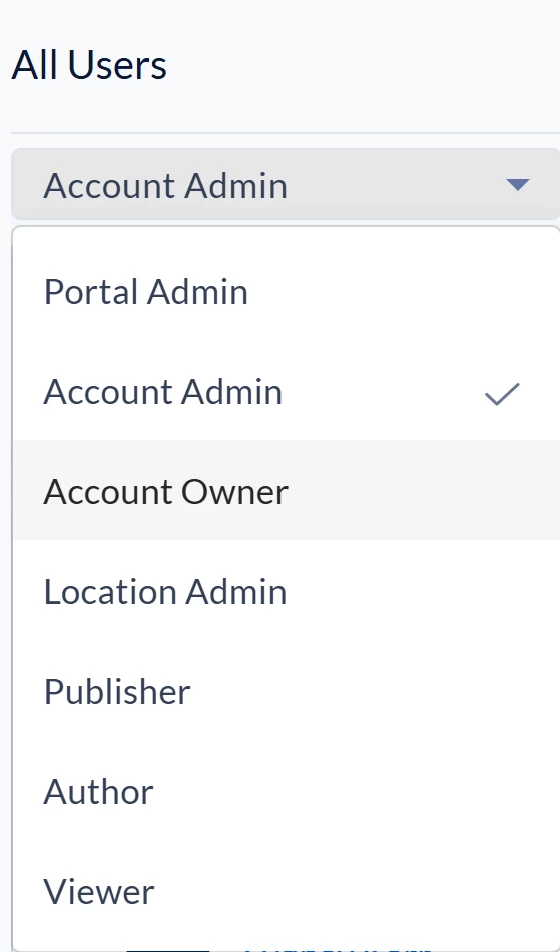



This guide provides information on the various user roles within the Appspace Digital Signage module. Each role plays a specific part in configuring, managing, and distributing organizational content across the platform.
There are roles for all Appspace users, ranging from Location Administrators to general employees. Roles are assigned within the Appspace Console to define a user's scope of work and level of access.
Key Benefits
Implementing defined user roles for digital signage offers several advantages for communication management:
- Improving Control: Assigning specific administrative permissions to users based on their physical location or technical requirements.
- Optimizing Content Management: Allowing Publishers and Authors to manage critical communications and channels without needing full system access.
- Streamlining Operations: Enabling local office managers or designers to create and organize media through a simplified interface.
- Facilitating Communication: Publishing urgent Broadcast messages to specific sites to communicate critical or time-sensitive information.
What This Guide Covers
This guide will cover the following topics:
- The hierarchy of digital signage administrative and standard user roles.
- Specific capabilities and access levels for each role.
- A comprehensive task chart mapping permissions to specific roles.
Prerequisites
Before assigning or using digital signage roles, ensure the following requirements are met:
- Console Access: Administrators must have access to the Appspace Console to manage content, devices, and users.
- Role Assignment: Users must be assigned to their specific roles and locations by an Account Owner or authorized administrator.
Understanding User Roles
Primary Account Owner and Account Owners
These roles represent the highest level of administrative access.
- Primary Account Owner: Only one exists per account. They have full access to all aspects of the platform (content, devices, users, locations) and the Account Management Portal.
- Example: An IT Admin who manages and configures the entirety of the Appspace account. This role is often the sole administrator for smaller teams.
- Account Owner: Additional owners can be assigned with full platform access, though they only access the Account Management Portal if granted permission by the Primary Account Owner.
- Example: Global IT Admins and Global Communications leaders who require full access to manage or configure the entire Appspace account.
- Required Licenses: Both roles require a Platform license for digital signage.
Location Admin
A >Location Admin serves as the primary administrator for all users, devices, groups, sublocations, and broadcasts in a particular site.
- Scope: They have full permissions within their designated location but lack administrative access to other sites.
- Example: An IT Admin at a specific office who is responsible for setting up and managing digital signage hardware.
Publisher (Location Based)
This role focuses on content management and has full control over all channels and channel properties within a specific location.
- Scope>: They can manage the content library and publish criticalBroadcast messages to communicate urgent information.
- Example: An HR representative who manages the content library and publishes company updates to office screens.
Editor
An Editor is an Author who has been granted permissions for a specific, assigned channel.
- Scope: They are only able to add or edit content within that specific channel and may require approval from a Publisher before content goes live.
- Example: A local content owner who only publishes building updates to employee breakroom screens.
Author
The Author is the standard content creation role, focusing primarily on asset development within the Library<
- Scope: They can upload media, create cards, and organize folders within their assigned Library but do not typically publish directly to devices.
- Example: A graphic designer or local office manager who develops content but does not manage the hardware or distribution.
Note: Users can be assigned more than one location or multiple roles depending on their responsibilities. For example, a user who needs to manage both devices and content should be assigned both the Location Admin andPublisher roles.
Role Capabilities Comparison
The following table outlines the specific permissions assigned to each digital signage role:
| Task< | Location Admin | Location Publisher | Editor | Author |
| Access the Console | Yes | Yes | Yes | Yes |
| Access Common Library | Yes | Yes | No | Yes |
| Create/Manage Channels | No | Yes | No | No |
| Manage Folders in Library | No | Yes | No | Yes |
| Create Local Broadcasts | Yes | No | No | No |
| Manage Users at Location< | Yes | >No | No | No |
| <Register/Manage Devices | Yes | No | No | <> |
| Add Content to All Local Channels | No | Yes | No | No |