




This article provides the steps to show a keyboard in portrait mode on a BrightSign device.
Steps to Show the Keyboard in Portrait Mode
- Add the following key as a player/network/app property: player.virtualkeyboard.enable (true).
- Add the following code after m.vKeyboardProp.isVKeyboardEnabled = true in the autorun.brs file:
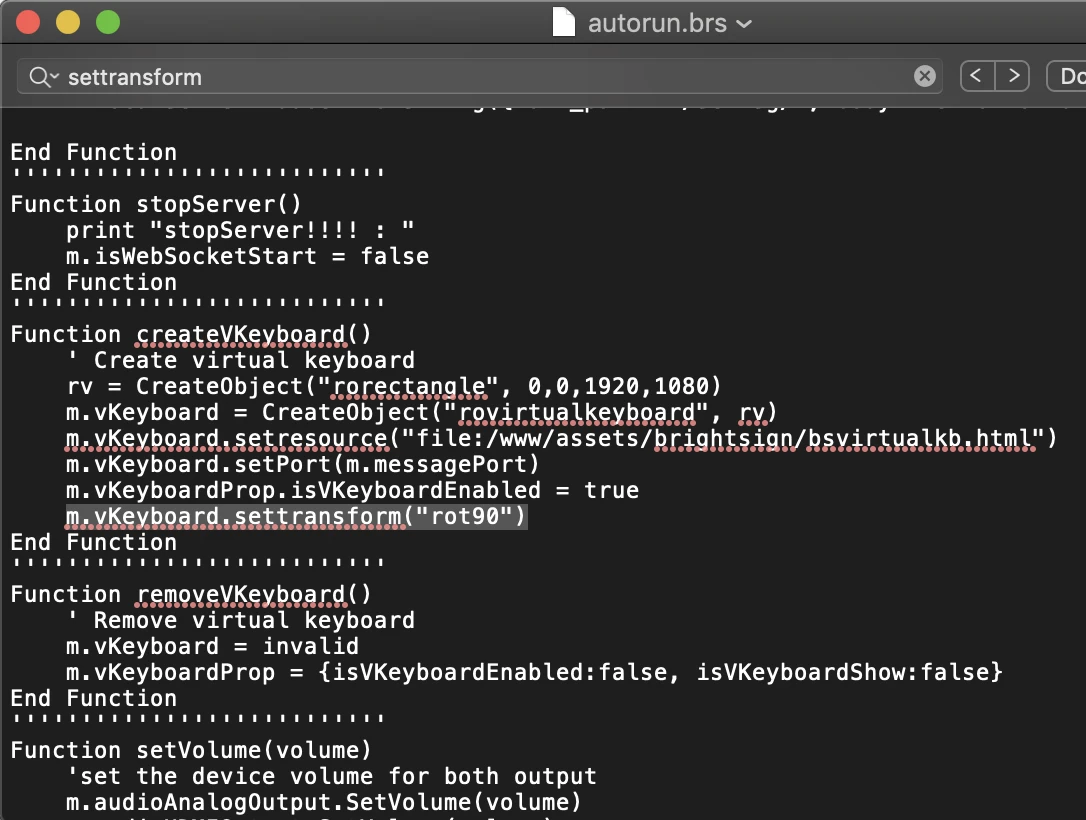
- The virtual keyboard will be rotated accordingly: m.vKeyboard.settransform("rot90")
Solution
Verified fixed on cloud production with Core Release 6.0-ac.3 Build Jul 27, 16 using Appspace App 1.6.0 AS-Lib 1.0.461 (build 1.6-build68) on Brightsign 4K1142 (Firmware 6.1.76).
Related Case
- AE-5318: SF29642 Virtual Keyboard Does Not Follow Portrait Orientation