



This update introduces a Read and Acknowledge feature for Pages and Stories in Appspace. Authors of critical communications such as policy updates, safety procedures, or mandatory training materials can now require their audience to formally confirm they have read and understood the content. This moves beyond passive view tracking to provide a reliable, active confirmation with a clear audit trail, addressing compliance and accountability needs across the organization.
Prerequisites
- Account Owner or Publisher role.
- An Appspace Platform user license.
Enabling Read and Confirm as an Author
When creating or editing a Page or Story, authors can now activate the Read and Confirm option to make acknowledgement mandatory for their target audience.
- On the Home page, navigate to the Pages or Stories by clicking explore and selecting the designated tabs.
- Open an existing piece of content or create a new one.
- On the page or story window, click the ellipsis and select Edit to open the configuration window.
- Click the configure button and scroll down to locate Read and Acknowledge.
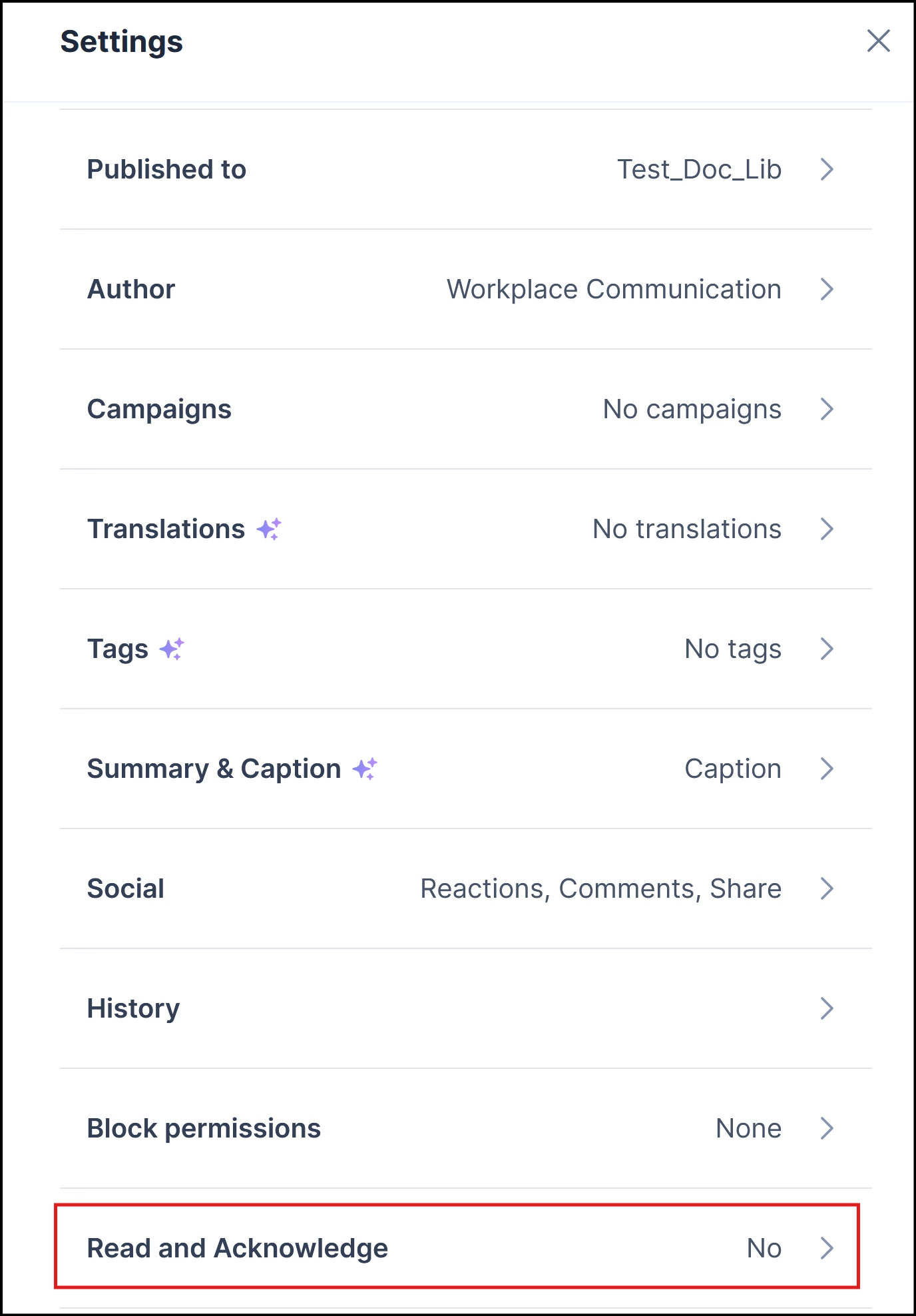
- Enable the toggle to require acknowledgement from all targeted users.
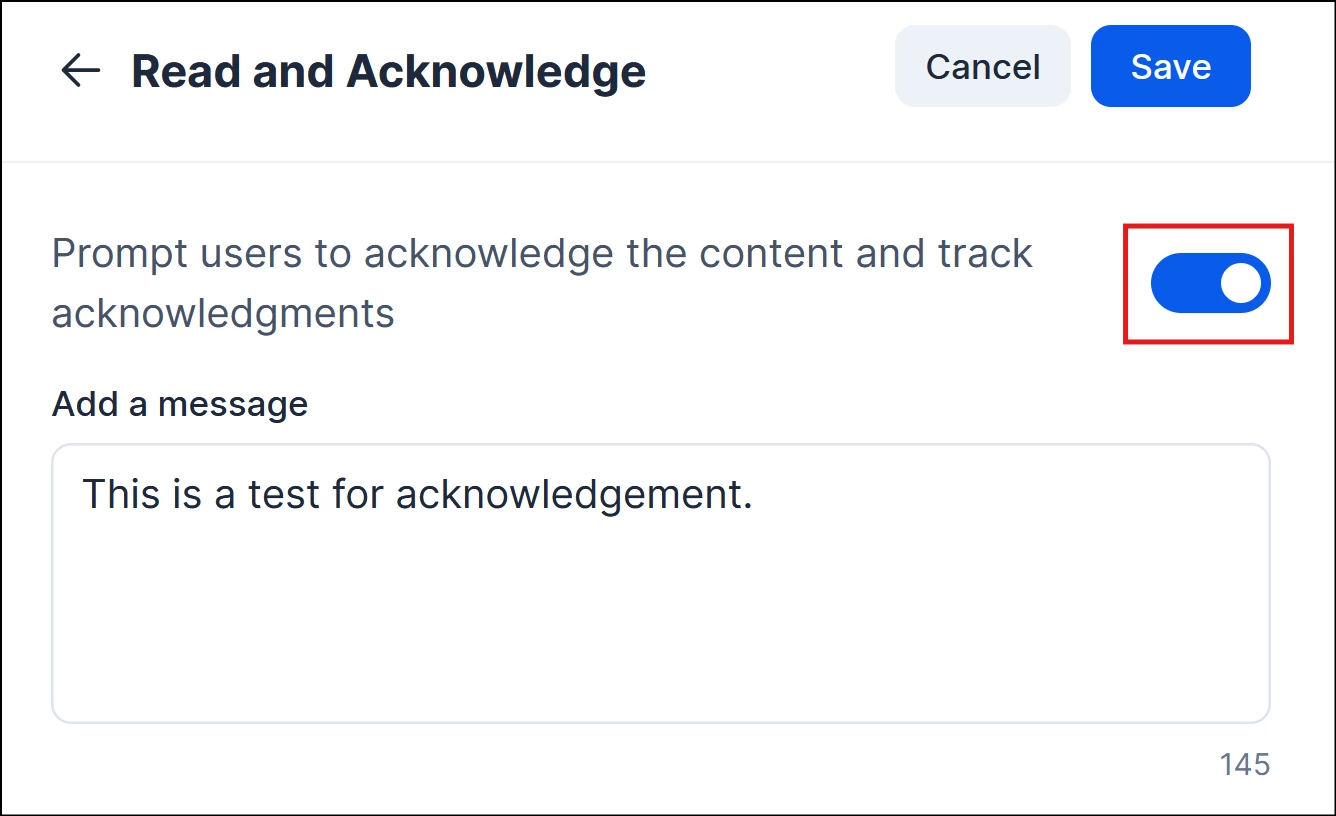
- Complete the remaining publishing steps and publish the content.
Note
Once enabled, targeted users will not be able to dismiss the acknowledgement prompt without formally confirming they have read the content.
Acknowledging Content as an End-User
When a user is served content that requires acknowledgement, a clear prompt is displayed to guide them through the confirmation step.
- Acknowledgement Banner: A prominent banner is displayed on the content, indicating that this communication requires formal acknowledgement.
- "I Acknowledge" Button: After reading the content, the user clicks the I Acknowledge button to confirm they have read and understood the material.
- Completion State: Once acknowledged, the prompt is dismissed and the confirmation is recorded against the user's profile.
Tracking Acknowledgement Status
Authors and Administrators have access to a dedicated reporting view to monitor the acknowledgement status of their content in real time.
- Confirmed Users: See a list of users who have formally acknowledged the content, along with the date and time of their confirmation.
- Pending Users: Identify users who have been targeted but have not yet acknowledged the content.
- Audit Trail: All acknowledgement records are stored reliably, providing a clear compliance trail for reporting and auditing purposes.
Automated Notifications & Reminders
Appspace automates communication to ensure users are promptly informed of content requiring their action.
- Initial Notification: When content with Read and Confirm enabled is published, targeted users automatically receive a notification prompting them to read and acknowledge the material.
- Reminder Notifications (Stretch Goal): Users who have not acknowledged the content after a defined period will automatically receive follow-up reminder notifications, reducing the need for manual follow-up by authors or administrators.